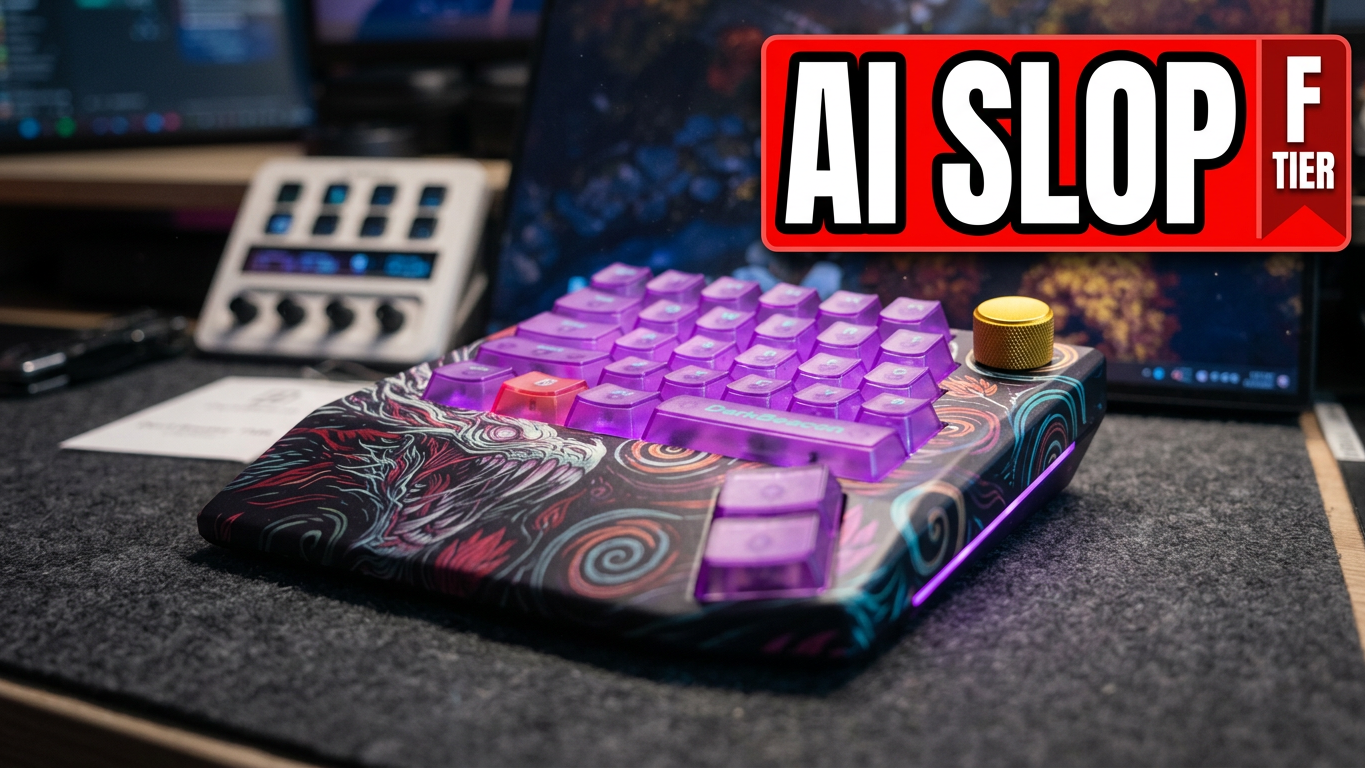

The DarkBeacon Devil Breaker Starry Night Dragon II is one of the stranger gaming peripherals I’ve reviewed. It’s a one-handed TMR magnetic keypad with Rapid Trigger, a tactile knob, gamepad mode, and artwork that puts a dragon into a Starry Night-inspired scene.
It also wants you to log into a large software package, talk to an AI assistant, and keep track of something called “energy” to use certain features. After spending time with it, I came away thinking that the hardware had some potential, but the overall experience was frustrating enough that I couldn’t recommend it at the price I saw during the review.
You can check the current price of the DarkBeacon Devil Breaker Starry Night Dragon II on Amazon. This is an affiliate link, so I may earn a commission from qualifying purchases.
A compact keypad with a memorable look
The full name is a mouthful, but the idea behind the design is easy enough to understand: Starry Night, with a dragon. Whether you love that look will come down to personal taste. I was more interested in how the keypad felt and worked.
It’s a one-handed gaming keypad rather than a replacement for a full keyboard. That makes sense if you want a compact set of gaming controls next to your regular keyboard, or if you prefer a dedicated pad for your left hand. There’s also a knob with a satisfying tactile feel, which was one of the nicer physical details.
The case is plastic, though, and it didn’t feel especially premium to me. During the review, I found the price to be around $139. At that point, the materials and the rest of the experience need to make a convincing case. The plastic alone isn’t necessarily a dealbreaker, but it became harder to overlook once I ran into the other issues.
What’s in the box?
The package includes a USB cable, a keycap puller, a spare switch, paperwork, and a sticker. The spare switch is a welcome inclusion. Switches can fail, and having a replacement on hand is useful.
That spare matters even more here because of the switch design.
The TMR switches appear to be proprietary
The Devil Breaker uses TMR magnetic switches, and the switches in my unit have an unusual shape and pin arrangement. Looking at the openings in the board, it appears designed around DarkBeacon’s own switches. My concern is that if you want replacements or a different switch feel later, you’re going to be dependent on compatible switches from that ecosystem.
The TMR hardware itself worked in my testing. My objection is about choice and repairability: a hot-swappable switch is less appealing when your replacement options appear limited. I’d want to know how easy it will be to buy compatible switches before committing to this keypad.
The sound test was a pleasant surprise

This is one area where the Devil Breaker did better than I expected. The overall sound is pretty good for a small gaming pad.
Some keys sounded hollow to me, with resonance carrying through the rest of the board. Others were louder than their neighbors. The spacebar, on the other hand, was surprisingly muted. I’ll take a quieter spacebar over one that dominates every press.
The knob also has a nice tactile feel. Taken on its own, the keypad’s sound and presentation gave me reason to think there was a decent product here. Then I got into the software.
The software asks for a login
When I opened the DarkBeacon software, I had to log in to use it. I don’t enjoy creating an account just to configure a peripheral sitting on my desk, and the application itself felt much larger and more complicated than I wanted for a gaming keypad.
The firmware update ran quickly in my experience, which is a positive. But after that, a lot of the interface revolves around AI features. There’s an assistant for generating effects, a rhythm challenge, leaderboards, and an energy system.
I can understand wanting to make configuration easier. What I struggle with is the idea that I need an AI assistant to make my keyboard red and blue. I’d rather have straightforward controls that let me set the lighting myself and get back to the game.
AI energy, top-ups, and a rhythm game
The software showed me an energy balance, including an option to pay for top-ups. It also offered a rhythm challenge with free attempts and an option to spend energy on retries. I found a free practice option too.
That’s a strange thing to encounter while setting up a gaming peripheral. If someone enjoys the challenge and leaderboard, fine. For me, it added another layer to an application that already felt overloaded.
I also noticed that two energy credits appeared to have been used before I understood what had consumed them. I can’t say what caused that, but it didn’t make the system feel any clearer.
Testing the AI lighting and sound effects
I asked the assistant to make a red-and-blue lighting effect and generate some sound effects. It produced the colors, but the requested sound generation ran into problems. Another attempt produced a tiger growl, and some of the assistant’s responses mixed languages or gave me confusing information about whether a sound had been applied.
Eventually, I got a voice clip to play when keys were pressed. It was funny for a moment. Then I was left with the same question: why is this such a prominent part of a gaming keypad?
The app also reported that the AI effect could continue after closing its window but would stop when the application was fully quit. If you want to use those effects, that’s another reason to keep the software running.
A wrist rest that lifts the keypad
My biggest physical complaint was stability. When I put my wrist down, the keypad lifted enough that I could see a gap underneath it. I even fit the edge of a knife under the raised portion to show how much space there was.
I don’t know whether every unit behaves the same way, but it happened on the one I tested. For a device meant to sit under your hand during games, that movement is distracting. It’s the sort of basic fit-and-feel issue I’d want fixed before worrying about generated sound effects.
Rapid Trigger and gamepad mode
The Devil Breaker does have gaming features that could be useful. I found Rapid Trigger settings in the software, along with gamepad mode. The latter stood out to me as a worthwhile option for people who want controller-style input from a keypad.
There was also a limitation with profiles: the software indicated that only one profile could be stored on the device at a time. If you want to switch between profiles, that means returning to the application.
Near the end of the review, I also noticed a key sound triggering after a small drop. That was concerning in my setup, although I didn’t investigate the settings or test it across multiple configurations. It’s something I’d want to examine further before drawing a broader conclusion.
Is the DarkBeacon Devil Breaker worth buying?
For me, no. At the roughly $139 price I saw during the review, the Devil Breaker asks too much for an experience that feels unfinished.
There are things I like. The sound is better than I expected, the knob feels good, the TMR switches worked, and gamepad mode is a useful inclusion. But the wrist-rest stability issue, apparent dependence on proprietary switches, required software login, and emphasis on AI features outweighed those positives for me.
I’d rather see DarkBeacon fix the stability, make switch replacement less restrictive, and offer simpler software. There’s a potentially interesting gaming keypad underneath all of this. I just don’t think the version I tested earns its price.
Product link: DarkBeacon Devil Breaker on Amazon
Join the community: Crafting Worlds Discord