Akko 5075 V5 TMR review: Great sound, useful features, and one request. Make a TKL.

⌨️ Check out the Akko 5075 V5 TMR on Amazon
🎥 Watch more keyboard reviews
🏰 Join our community for more tech and keyboard content
Affiliate disclosure: I may earn a commission from purchases made through links in this article, at no additional cost to you.
I managed to get the name of this keyboard wrong within the first few seconds of the review. V2? V5? Akko, we need to have a conversation about your naming conventions. The keyboard is the Akko 5075 V5 TMR, and thankfully, using it is considerably more enjoyable than trying to remember what it’s called.
This one got closer than I expected to making me reconsider my main keyboard. The Kailh Aurora magnetic switches sound fantastic, the plastic case has some proper heft, and the software includes useful features that still manage to go missing on other boards. It also lets you use compatible mechanical switches alongside magnetic switches, which gives me a much more practical reason to care about it than another tiny number on a specification sheet.
There are things I would change. The feet could hold their position better, the legends aren’t particularly easy to read, and the springy typing feel needs to be considered when you start pushing rapid-trigger sensitivity. I also ran into a typing issue that matters for people who move their fingers across keys the way I do. But considering what this board cost when I filmed the review, there is a lot here that Akko got right.
What comes in the box
The unboxing is straightforward. You get the keyboard, a dust cover, the manuals, a keycap puller, a switch puller, spare switches, and a basic cable. I called the dust cover the “grandma cover” because apparently I cannot look at a protective plastic cover without thinking about somebody preserving their furniture forever. Still, it’s useful, and spare switches are always welcome. Switches can fail. Having replacements already in the box is a small thing that saves you an annoying problem later.
The cable is nothing exciting. It’s a regular plastic cable, and at this price I’m not going to spend five minutes being offended that Akko didn’t include something fancy. Put the money into the keyboard. Give me good switches, a solid case, and software that works. That is a much better use of the budget.
The included switch puller also has more purpose here than it might on a keyboard you intend to leave completely stock. Being able to change the type of switch you use on different parts of the board is one of the main reasons the 5075 V5 TMR interests me.
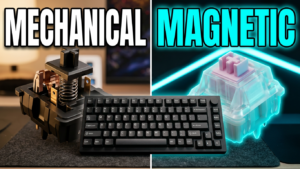
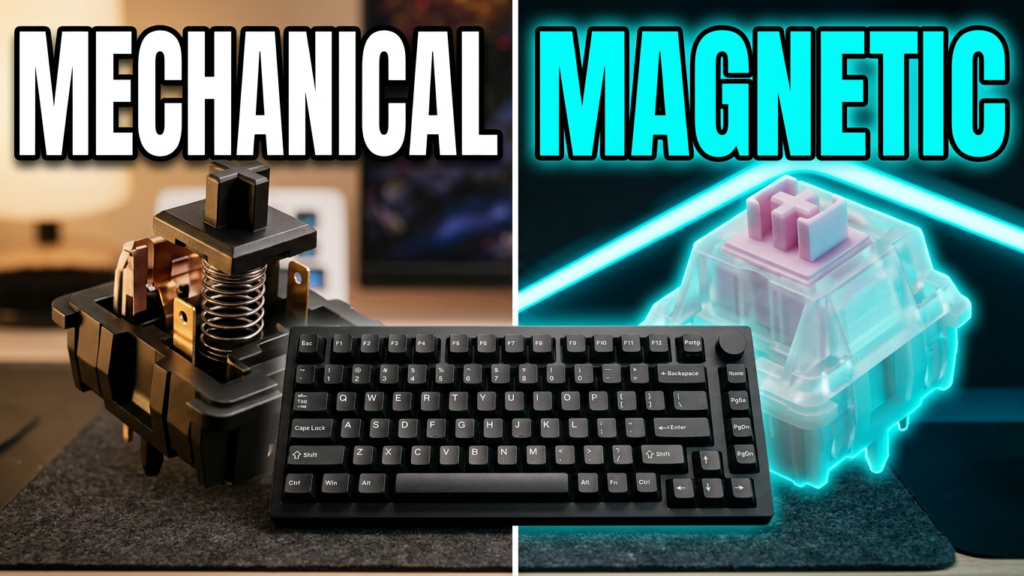
Magnetic and mechanical switches on the same keyboard
TMR stands for tunnel magnetoresistance. It is a different magnetic sensing technology from Hall effect, although both appear in keyboards built around features such as adjustable actuation and rapid trigger. The claims around TMR include greater precision and better energy efficiency, but I’m going to be honest about the limits of this review: I am not pulling out laboratory equipment to prove how much better one sensor is than another.
At the level these keyboards have reached, I don’t feel half the tiny differences being advertised. Sound and feel become much more noticeable to me than another decimal place. I care whether the keyboard behaves properly when I’m using it and whether I enjoy having it on my desk.
What matters here is this particular board’s support for both compatible magnetic switches and conventional mechanical switches. That compatibility comes from the keyboard’s implementation; it isn’t something you should assume every TMR board automatically offers.
For somebody like me, that opens up a useful option. I might want magnetic switches on WASD and a few other gaming keys while using my preferred mechanical switches elsewhere. Maybe I want a different sound, a tactile bump, or quieter switches for work. I can keep magnetic switches where I want their gaming features without committing the entire keyboard to the same feel.
That is the selling point. Plenty of us use the same desk to work and play, and our preferences don’t magically become identical across both activities. The mechanical keys won’t acquire magnetic-switch features just because they share a board, but having both available makes the keyboard much easier to tailor to how you use it.
The funny part is that the included Kailh Aurora switches sound good enough that I wasn’t immediately desperate to replace them.
A plastic case that still feels substantial
Yes, the case is plastic. Pick it up, though, and it doesn’t have that lightweight, hollow impression that sometimes comes with a cheaper board. There is real heft here, and it feels solid in the hand. I noticed that immediately.
Weight alone doesn’t prove quality, but a keyboard that stays where I put it is preferable to one that wants to travel across the desk. The silicone pads underneath help, and the overall build left a very good impression. Among the boards of this type I’ve used, this stood out for how well put together it felt.
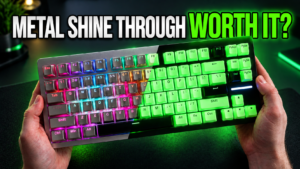
There is visible Akko and Kailh branding, and you have physical controls for the operating-system selection and connection modes. You can use wired USB, Bluetooth, or 2.4GHz wireless. I also like the overall appearance. It looks sleek on the desk without needing a metal enclosure to make it feel worth owning.
The feet are my annoyance. Slide the keyboard across a surface and they can fold back down, including the smaller feet. I wish they locked into position more securely. This is something I complain about on plenty of keyboards, so Akko is hardly alone, but I’m still going to mention it. If I set the typing angle, I want it to remain there when I reposition the board.
The price makes the feature list more interesting
During filming, I showed the Kailh Aurora version at roughly $119 on Akko’s site and around $109 on Amazon. I also showed a cheaper configuration at around $79, but I had not tested its switches. My praise for the sound and feel in this review applies to the Kailh Aurora version in front of me, not automatically to every configuration with the same keyboard name.
Those were the prices shown in the review, so check the current listing and selected switch option before buying.
At the price I was looking at, the package was compelling. You get rapid trigger, adjustable actuation, 8K polling support, tri-mode connectivity, and a listed 10,000mAh battery. You also get the hybrid switch compatibility, which is the feature I would personally get more use out of than chasing the most aggressive possible sensitivity.
Wireless worked well in my use, too. I’m not presenting that as a measured latency result or a battery endurance test, but it matters that I could use the keyboard wirelessly without it feeling like an afterthought. The software also lets you reduce the polling rate if you want to prioritize battery life.
All of that makes the plain included cable fairly easy to forgive.
The Kailh Aurora switches are the highlight

Oh, buddy. These sound good.
The Kailh Aurora magnetic switches have a sound profile that puts them comfortably among my favorites in this category. The bottom-out is satisfying, the switches feel solid, and I found very little wiggle when checking them. There’s a stability to them that I appreciate, along with a typing feel that makes the keyboard enjoyable before you’ve spent any time adjusting settings.
I don’t want a magnetic keyboard that I tolerate for work because I happen to want its gaming features. I spend enough time typing that the basic experience matters. These switches make a strong case for leaving the board as it comes.
The sound test starts at 08:48 in the full review, and I would rather you listen to that than have me spend three paragraphs trying to decide which food-related keyboard adjective applies. What I can tell you is that I liked the sound immediately, and the typing test reinforced that impression. This is a very good-sounding magnetic switch setup to my ears.
If you’re choosing between configurations of the Akko 5075 V5 TMR, remember that the Aurora switches are a substantial part of what I enjoyed. The cheaper option may be appealing, but I can’t tell you it delivers the same experience when I haven’t tested it.
The springy feel has a trade-off
There is quite a bit of give in this board. For normal typing, that can feel pleasant. It has a soft, springy quality rather than feeling completely rigid under your fingers, and I can see the appeal for everyday work.
The complication comes when you combine that movement with extremely sensitive magnetic settings. In my testing, pressing one key could lead to an unintended input from a neighboring key when the sensitivity was pushed too far. That is something worth paying attention to if you intend to enable rapid trigger and immediately turn everything down to its smallest possible value.
By the time of the review, Akko had addressed much of this behavior through firmware updates. I appreciate that response. Hearing about a problem and doing something about it quickly matters, especially on a keyboard where firmware and configuration have such a large effect on the experience.
Even so, my advice is to use settings that suit your hands. The smallest number available is not automatically the best choice. I don’t want a keyboard so sensitive that ordinary movement becomes something I have to manage, and I certainly don’t want accidental inputs while I’m working.
For my own typing, I showed an actuation setting of 2.3mm. That is my preference, not a universal recommendation. Start with something comfortable, make adjustments, and see what actually improves your use. There is no prize for picking the lowest setting if it makes you worse at typing.
A caveat for people who drag their fingers across keys
This next issue is specific enough that I want to explain it properly. I tend to drag my fingers across the keys as I move between them. I’m not always lifting each finger cleanly and pressing straight down, and it is one reason I often enjoy low-profile keyboards.
With this board, I sometimes found that dragging into a key made the press feel caught or prevented it from registering until I lifted my finger and pressed it again. I noticed this while typing. Gaming worked well for me.
I have encountered similar behavior on other TMR boards I’ve used, but I haven’t isolated the exact mechanical cause. I’m describing what happened under my fingers, not proving that the sensing technology itself causes it. The switch construction, the way I apply pressure, and my typing habits all deserve consideration here.
For somebody who lifts their fingers cleanly between presses, it may never become an issue. For me, it was noticeable enough to mention. If I used this board constantly, I would need to adapt my typing technique or explore a different switch setup for the keys I use for work.
That doesn’t cancel out how much I like the Aurora switches. It does mean that sound and feel are only part of finding a keyboard that suits you. If you drag-type like I do, keep this in mind.
The 75% layout is good. I still want a TKL.
The layout gives you separated arrow keys, a useful selection of navigation keys, and a volume knob. For someone who wants a compact board without losing all of that functionality, it makes sense.
My problem is personal: I want more dedicated keys. I use them for coding, and I don’t particularly want to reorganize how I work around a smaller layout. The 5075 V5 TMR came close enough to what I want elsewhere that this became the main thing keeping me from getting more excited about it as a replacement for my daily keyboard.
Akko, make this in a TKL format and find a way to keep the knob. Please.
There is a strong reason to offer this kind of keyboard in larger layouts. The ability to combine mechanical and magnetic switches makes it appealing for productivity as well as gaming, and some of us want a full navigation cluster or a full-size board for that work. A compact layout is a choice, not an automatic improvement.
If 75% is already your preferred size, you may be looking at my biggest objection and wondering what the problem is. Fair enough. You are closer to the target audience than I am on that particular point.
The RGB looks better from your chair than from above
I like the south-facing RGB, and the lighting looks good from a normal seated position. The camera angle matters quite a bit here. Viewed from above, the lighting can appear much less bright than it does when you’re actually sitting at the keyboard.
During the review, I tilted the board to show that difference. The brighter view was closer to what I saw at the desk, so I wouldn’t judge the lighting entirely from the overhead footage.
The legends are a separate issue. They are on the front-facing sides of the keycaps, and I found them difficult to make out. I can like the appearance of the board and still wish the lettering were easier to read. If you rely on looking down to locate keys, that deserves more weight than it will for somebody who rarely looks at the keyboard.
The software gives you lighting effects and per-key RGB customization. I was particularly happy to see the latter. It seems like an obvious feature to include, yet I still encounter boards that don’t give you that control.
Good software, with an annoying window-size problem
Software matters enormously on a magnetic keyboard. Adjustable actuation and profiles aren’t much help if configuring them is miserable.
My first complaint with Akko’s interface was readability. When I tried to zoom in to make things easier to see, the interface complained about the available window size. I had to adjust the window to get a workable view, and the whole interaction felt unnecessarily restrictive. Let me make the controls readable without fighting me about it.
Once past that, I liked the software. The settings were generally straightforward, and I could find the things I wanted without feeling buried in an unnecessarily complicated interface.
You can adjust actuation, test key presses, remap keys, create macros, change polling behavior, and configure lighting. There are also advanced key behaviors, including Mod-Tap, toggle options, and SOCD settings. I’m not going to pretend every buyer needs every one of those features, but the configuration options are there for people who want them.
My favorite practical feature is switching profiles on the fly. I can have settings for gaming and separate settings for typing or work, then move between them without rebuilding the configuration each time. That is exactly what I want from a board trying to cover both uses.
It also gives the sensitivity discussion a sensible answer. You don’t have to find one aggressive setting and live with it all day. Set up the keyboard for the task you’re doing.
The smaller details help it feel finished
The indicators for things such as Caps Lock and battery status are welcome. So are the accessible profile controls and per-key lighting. None of those individually makes for a dramatic sales pitch, but I notice when they are missing.
That was my overall impression of the 5075 V5 TMR: a lot of useful decisions at a competitive price. I liked the switch choice, the substantial feel, and the amount of control available in software. My broader experience with Akko’s support has also been positive, and I appreciate seeing firmware work continue after problems are identified.
There are rough edges. I’ve spent enough time talking about them here. But they didn’t overwhelm the parts of this keyboard that I enjoyed, and the value made those strengths harder to ignore.
Should you buy the Akko 5075 V5 TMR?
If you want a 75% keyboard with magnetic gaming features, wireless connectivity, and the option to use compatible mechanical switches alongside the magnetic ones, I think this is a very good option. The Kailh Aurora version sounds excellent to me, feels good, and comes in a plastic case that has far more substance than that description might suggest.
I would be more cautious if you need highly readable legends, dislike a springy typing feel, or drag your fingers across keys the way I do. And if you want a TKL or full-size layout, no amount of enthusiasm about the switches is going to add the missing keys.
For my own desk, the layout is the biggest unresolved piece. Give me this experience in a TKL with a knob, and I would seriously consider switching my main. That is probably the clearest explanation of how much I liked the rest of it.
At the prices shown during filming, the performance and features for the money were very strong. I don’t need to pretend I can feel every claimed improvement in magnetic sensing to appreciate a board that sounds this good, works well wirelessly, and lets me configure it around both work and gaming.
Akko got a lot right here. Now give me those extra keys.
Check the current price and switch options for the Akko 5075 V5 TMR on Amazon.