
There is a point when reviewing cheap audio gear where the price starts changing the entire conversation.
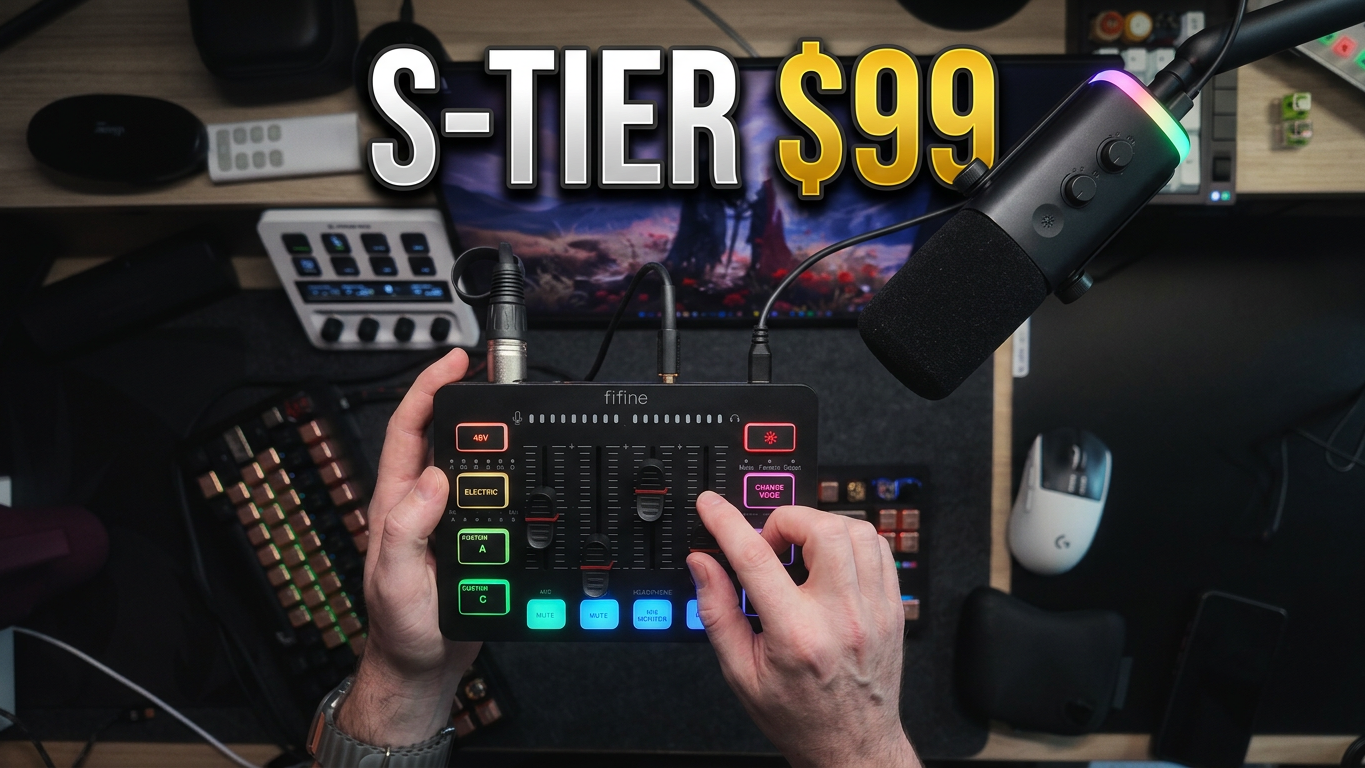
The FIFINE KS5 costs around $99, and for that you aren’t getting a microphone by itself. You’re getting a dynamic microphone, an audio interface/mixer, XLR connectivity, USB connectivity, physical faders, monitoring, customizable sound buttons, voice effects, 48V phantom power and enough RGB to illuminate a reasonably small apartment.
That doesn’t automatically make any of it good, of course.
I’ve used plenty of inexpensive audio products that came with a giant checklist of features and managed to do almost none of them particularly well. FIFINE has been a little different for me over the years. I’ve reviewed several of their microphones, and they have a habit of getting the basic thing that matters most surprisingly right: their microphones generally sound better than their price suggests they should.
The FIFINE KS5 continues that trend, only this time they’re trying to give you most of a beginner streaming studio in one box.
And somehow, for the most part, it works.
What you actually get with the FIFINE KS5
Opening the package immediately makes the price seem strange.
There is the dynamic microphone itself, the mixer/interface, USB cabling, an XLR cable and the basic hardware needed to get the microphone sitting on a desk. FIFINE also sent me one of their low-profile boom arms for my setup, which is what I used through much of the review.
The microphone has some legitimate heft to it. This does not feel like somebody took an empty plastic tube, shoved a cheap capsule into it and called it a streaming microphone.
Then there is the mixer.
This is where the FIFINE KS5 starts becoming considerably more interesting than buying a cheap USB microphone on its own.
You have physical sliders, dedicated mute controls, XLR input, monitoring, Line In, Line Out, custom buttons, voice effects, lighting controls and 48V phantom power. You can use the included microphone through the mixer over XLR, but you don’t actually have to.
The microphone can operate directly over USB as well.
That flexibility matters more than some of the flashier stuff on the front.
The microphone works through XLR or USB
I started with the microphone running through XLR into the interface.
In this configuration, the mixer is handling the microphone, so the controls and RGB on the microphone itself aren’t active in the same way they are when you’re using its USB connection.
Plug the microphone directly into USB, though, and it becomes a standalone USB mic.
You get access to its RGB lighting, microphone volume control and headphone monitoring without needing to bring the interface along at all.
That gives the FIFINE KS5 an interesting use case for anyone who moves between setups.
Maybe the mixer lives permanently at your streaming desk while you take the microphone and a laptop somewhere else. Maybe you’re starting with USB because you’ve never touched XLR before, then eventually move into the mixer once you’re comfortable with the rest of your setup.
You’re not locked into one configuration.
For somebody buying their first real microphone, I think that’s much more useful than forcing them to decide between “USB microphone” and “XLR microphone” before they even know why they care.
And yes, there is RGB everywhere
This is gaming equipment in 2026, so naturally there are lights.
The microphone has RGB when you’re running it through USB, while the interface has lighting across the buttons and controls. You can cycle through different colors and effects, including the expected rainbow mode.
My favorite setting is still off.
I don’t hate RGB, but on functional equipment I like being able to glance down and immediately understand what is active. When everything is glowing constantly, indicators become part of the light show instead of actually indicating something.
Thankfully, FIFINE lets you turn it off.
If your entire gaming setup looks like a unicorn exploded across your desk, though, the FIFINE KS5 will happily join in.
The microphone sounds surprisingly good
This is where the price starts becoming hard to ignore.
The included dynamic microphone sounds good.
Not “I guess that’s acceptable because it’s cheap” good. It has enough body and presence that I could see a new streamer plugging this in, opening OBS and being perfectly happy with what comes out the other side.
On my voice specifically, it gets very deep. Almost too deep.
There is a boominess to the sound that I would normally clean up with EQ on a more advanced setup, and there isn’t much happening on the KS5 itself that lets you meaningfully shape that tone.
So if your voice naturally has a lot of low end, you may want to handle some EQ or processing elsewhere.
Still, the important part is what I heard before doing any elaborate processing.
My voice sounded good.
For around $99 for the entire KS5 package, that’s the part that surprised me.
This isn’t an RE20, and it doesn’t need to be
I tested the noise handling with a fan blowing directly toward me.
The microphone does reduce some of that background sound, but this isn’t magic. If something loud happens in your room, it can still make its way into the recording.
A fire engine isn’t going to drive past your house and mysteriously cease to exist.
That’s also where price perspective matters.
My normal Electro-Voice RE20-based setup is substantially more expensive, and the microphone alone lives in an entirely different price class from this whole bundle.
I’m not expecting the FIFINE KS5 to replace an RE20.
I’m asking whether somebody spending roughly $99 can make a stream, podcast, gaming session or YouTube video sound legitimately good without immediately needing another pile of equipment.
Yes.
They can.
The mixer is much more than a volume knob
The interface has four physical volume sliders, and I’m always happy to have real controls sitting in front of me.
Software mixers are powerful, but during a stream I would much rather reach down and move something than start digging through windows and menus.
There are controls for the microphone and other connected sources, along with physical mute buttons at the bottom.
You can connect headphones for monitoring. There is Line Out if you want to send the signal somewhere else. There is Line In for bringing another audio source into the mixer.
There’s even an input route that lets you bring audio in from something like a phone.
I didn’t have the appropriate adapter sitting around to test that particular configuration myself, so I’m not going to pretend I did. The idea is that you can feed external audio into the unit and record it onto one of the custom buttons.
That means those colorful A, B, C and D buttons can become actual sound pads.
The custom sound buttons are stupid fun
I recorded myself making a noise.
Apparently what came out of my mouth was “woof woof,” despite me describing it as mooing in the video, which probably says more about me than it does about the mixer.
Either way, it works.
You can record audio to the custom buttons and trigger it whenever you want.
There isn’t some elaborate soundboard management application where you’re dragging WAV files onto virtual buttons. This is much more direct. Record something into the unit, assign it and press the button when you want it.
It’s simple.
For Twitch streams, Discord, gaming with friends or a casual podcast, I could absolutely see people having a field day with this.
Professional broadcast necessity?
No.
Fun?
Absolutely.
And I would rather see FIFINE include something fun that actually works than add another meaningless specification to the box.
It has 48V phantom power
This might actually be one of the more important features if you’re thinking beyond the microphone included in the package.
The FIFINE KS5 includes XLR support and 48V phantom power.
That means buying this as your first streaming kit doesn’t necessarily mean throwing the interface away when you decide you want another microphone later.
You could potentially move into another dynamic microphone or a condenser microphone that requires phantom power and continue using the interface.
Would I promise that this $99 package is going to become the centerpiece of some future $2,000 audio chain?
No.
I didn’t test it with every high-end microphone on the market, and there are obvious reasons dedicated audio interfaces cost more money.
But there is an upgrade path here.
For beginner hardware, that’s good design.
Then FIFINE gave it Auto-Tune for some reason
This is where things become slightly unhinged.
There is an Auto-Tune-style vocal effect built into the mixer.
You can select different notes and have the effect manipulate your voice around them.
Naturally, I tested this by singing Baby Shark.
I regret nothing.
Well, maybe a little.
This isn’t replacing studio vocal processing. Nobody is producing their next album entirely through the KS5 because they saw me singing children’s songs into it.
It is another one of those features clearly aimed at streaming and entertainment.
You hit a button. Something ridiculous happens. Your chat reacts.
Mission accomplished.
The voice changer is equally ridiculous
You also get several voice effects.
You can make yourself higher, lower, robotic, monster-like and several other flavors of questionable life decisions.
Some are funny.
Some are weird.
Some sound exactly like what you would expect from a hardware voice changer built into a $99 streaming mixer.
But again, they’re there, they’re instant, and you don’t have to install some giant software suite to use them.
One thing I genuinely like about the KS5 is that FIFINE didn’t make the basic hardware dependent on a bloated desktop application.
You plug it in and use it.
I’ll take that.
There is one physical problem I noticed
My biggest practical complaint came from vibration.
While using the microphone through XLR on the low-profile arm, physical movement could transfer vibration into the microphone.
You can hear it.
If you’re constantly hitting your desk, moving the boom arm around or typing aggressively right next to where everything is mounted, that’s something I would pay attention to.
The boom arm itself is pretty solid for what it is. I’ve actually used similar FIFINE arms with much heavier microphones, including my RE20, and they held up better than I expected.
The issue is isolation.
A proper shock-mounted configuration would obviously help, but now we’re beginning to add equipment to a package whose biggest attraction is being incredibly inexpensive and simple.
For normal use, it isn’t a deal breaker.
It’s something you should know about.
The simplicity might be its best feature
There is a version of streaming equipment where everything turns into a project.
Install this driver.
Install this routing application.
Create virtual audio devices.
Configure your microphone processing.
Route Discord here.
Route your game there.
Restart Windows because something disappeared.
Spend the next two hours wondering why nobody can hear you.
The FIFINE KS5 is basically the opposite philosophy.
Plug the thing in.
Move a slider.
Talk.
That’s extremely attractive for someone who simply wants better audio.
A new streamer doesn’t necessarily need to understand an entire audio signal chain on day one. They need something that lets them start streaming without sounding like they’re speaking through the microphone built into a gas-station headset.
This accomplishes that.
The good
- Very strong value around $99
- Good-sounding included dynamic microphone
- USB and XLR microphone connectivity
- Microphone can work independently over USB
- Physical mixer faders
- Dedicated mute controls
- Headphone monitoring
- Line In and Line Out connectivity
- Custom recordable sound buttons
- Voice changer effects
- Auto-Tune-style effects
- 48V phantom power
- RGB can be customized or completely disabled
- Straightforward plug-and-play operation
- Provides a path toward experimenting with other XLR microphones later
The bad
- My voice becomes fairly boomy through the included setup
- Limited onboard control for actually shaping that microphone tone
- Boom-arm/desk vibration can transfer into the microphone
- Noise reduction helps, but loud environmental noise still gets through
- RGB on the microphone depends on its USB connection
- Some of the effects are definitely more streamer toy than serious audio tool
- More advanced users will eventually want greater routing and processing control
Who should buy the FIFINE KS5?
The easiest recommendation is somebody building their first proper streaming or recording setup.
If you’re coming from a gaming headset microphone, webcam mic or cheap generic USB microphone, the FIFINE KS5 gives you a much more complete foundation without immediately dropping several hundred dollars.
It’s also a good fit for somebody who wants physical controls but doesn’t want to turn audio into another hobby.
Streamers make obvious sense, but so do YouTubers, beginner podcasters, Discord users and gamers who simply want their voice to sound better.
More experienced audio people will find limitations.
I certainly did.
But experienced audio people also aren’t really the reason a package like this exists.
Conclusion
The thing I kept saying while testing the KS5 was “$99.”
Because you have to keep remembering that.
The microphone sounds good. You get a real interface. You get XLR. You get USB. You get physical controls. You get monitoring. You get 48V phantom power. You get custom sound buttons and a collection of ridiculous effects to play with.
There are shortcomings. I would like more control over the microphone’s low-end response. I’d like better isolation from physical vibration. The noise rejection isn’t going to suddenly give you a professional recording booth in the middle of a noisy room.
But none of those things change what this package actually accomplishes.
For around $99, the FIFINE KS5 gives someone enough equipment to sit down, plug into a computer and start creating with audio that already sounds legitimately good.
You can spend dramatically more.
I have.
That’s exactly why the value here is so easy to recognize.
For somebody just starting out, this is a hell of a lot of streaming setup for the money.