LiberNovo Omni Dynamic Ergonomic Chair: Features, Systems, and Specifications
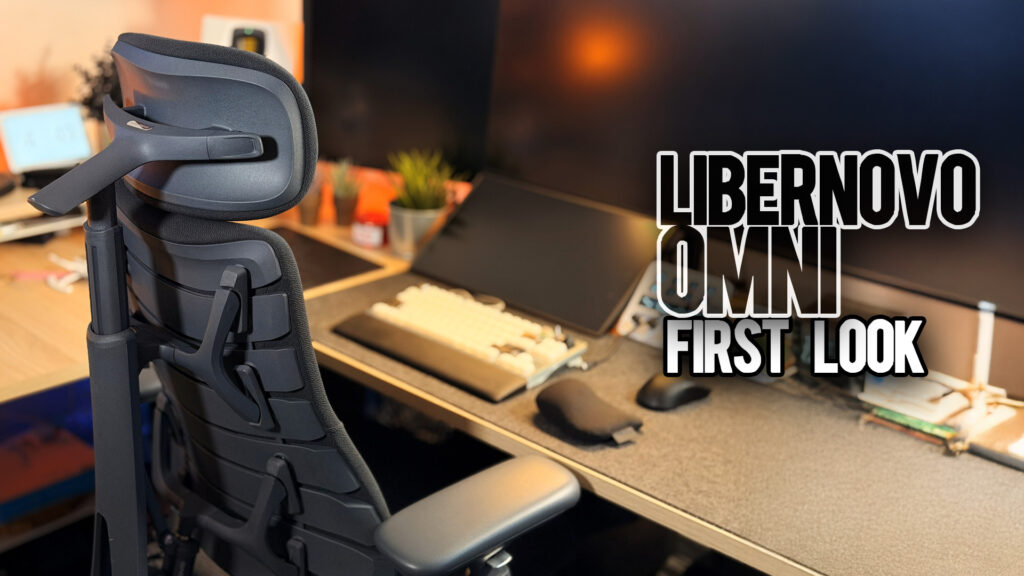
The LiberNovo Omni is presented as a dynamic ergonomic chair. In LiberNovo’s own positioning, it is designed to move with the user rather than holding them in a single fixed posture. The chair is framed around support that adapts while people shift between focused work, gaming, and fully reclined rest.
- Official LiberNovo Store (affiliate): https://libernovo.com/?ref=TRISTAN
- Amazon Listing (affiliate): https://amzn.to/4pTKK6V
Assembly and Components
The Omni is delivered as a set of separate parts that are assembled into the complete chair. The main components include:
- Wheelbase
- Casters
- Gas lift
- Seat
- Backrest
- Headrest
- Armrests
- Battery module
- Optional Step Sync footrest
- Optional extra battery, depending on bundle
Alongside the mechanical parts there are electrical components located inside the backrest and under the seat. These connect the motor system in the backrest, the control buttons on the armrest, and the internal control chip that manages the dynamic support and massage features.
Cables are labeled so they can be plugged together during assembly, and then enclosed with the included hardware and plastic covers. LiberNovo supplies printed instructions on a large cardboard sheet in the box, and maintains video tutorials for people who prefer to assemble the chair by following along visually.
Basic Ergonomic Setup
Once the chair is built, LiberNovo provides a basic ergonomic checklist that describes how they expect the Omni to be used.
Their guidance includes:
- Keeping the lower back in contact with the backrest
- Relaxed shoulders with arms hanging naturally
- Elbows near 90 degrees, resting on the armrests
- Seat height adjusted so armrests are level with the desk surface
- Feet flat on the floor or on a footrest
- Eyes roughly level with the top third of the screen
- Neck supported by the headrest
These points match common ergonomic recommendations and are used as the baseline for the chair’s adjustable systems.
Bionic FlexFit Backrest and Motor System
LiberNovo refers to the Omni’s backrest as the Bionic FlexFit backrest. In their description it is a flexible back structure with:
- 8 panels
- 14 dual connection points
- 16 spherical pivot points
The goal of this panel and pivot layout is a support surface that can change shape in response to the user’s spine.
The backrest is powered by a motorized system that LiberNovo associates with its lumbar support and stretch modes. On their product pages they describe this motor as capable of adjusting the backrest into an S curve and supporting up to 300 lb while the chair is in motion.
Control is handled through three buttons on the left armrest:
- Two buttons move the lumbar region forward and back within a range LiberNovo lists at 50 mm
- A third button triggers OmniStretch, the timed spinal stretch mode
The concept is that instead of a fixed lumbar hump, the backrest can be reshaped over that range to match different lower back curves and to drive the programmed stretch sequence.
Dynamic Support System and Synchro Link
LiberNovo groups several features under what it calls the dynamic support system. In this framing, the headrest, backrest, seat cushion, and armrests are linked together rather than behaving as isolated parts.
The Omni is described as a chair that adapts in real time as the user moves from headrest to armrests with different recline angles. The company’s materials highlight the following ideas:
- The headrest tracks the neck angle
- The backrest contour changes with the spine
- The seat cushion adapts around the hips
- The armrests follow the arms
Mechanically, LiberNovo uses the name Synchro Link for this setup. Synchro Link is described as a system of four synchronized linkages that connect the major components of the chair so that when the user reclines, multiple parts move in a coordinated way.
Dynamic Screen Alignment Concept
A specific concept LiberNovo emphasizes is dynamic screen alignment. The company explains that the Omni’s recline system is tuned so that when the user leans back, eyes, arms, and back stay more closely aligned with the desk and screen compared to a basic tilt.
In a side view, LiberNovo’s diagrams show:
- The headrest tilting to maintain contact with the back of the head
- The backrest changing its curve
- The armrests sliding to keep elbows near desk height even while torso angle changes
The intention is that a reclined posture still keeps the user oriented toward the workstation instead of drifting far away from it.
Recline Modes and Angles
LiberNovo outlines four preset recline angles for the Omni, ranging from upright to nearly flat. These are listed as:
- 105 degrees – labeled “Deep Focus Mode”
- 120 degrees – labeled “Solo Work Mode”
- 135 degrees – labeled “Soft Recline Mode”
- 160 degrees – labeled “Spine Flow Mode”
On the company’s dynamic ergonomic science page, each angle is associated with specific claims:
- 105 degrees: Described as a posture “gold standard,” with a claim of lowering total pressure by 51 percent compared to a traditional 90 degree sitting position.
- 120 degrees: Linked to studies that LiberNovo cites about improved blood flow and oxygenation in the prefrontal cortex, associated with creativity and focus.
- 135 degrees: Presented as a configuration where fatigue is reduced to 25 percent of upright sitting, intended for longer sessions.
- 160 degrees: Framed as a near zero gravity zone, aiming at decompression and deep rest with low pressure on the spine and joints.
The recline is controlled using a lever on the right side of the chair. The vertical position of the lever corresponds to the most upright setting, and moving the lever back steps through the deeper recline positions.
OmniStretch Timed Spinal Stretch
OmniStretch is LiberNovo’s name for a motorized spinal massage or traction style mode built into the Omni.
At approximately 160 degrees of recline, the motor cycles the backrest forward and back in a timed pattern that LiberNovo describes as a five minute spinal stretch session. In their science material they relate this motion to traction inspired by yoga, mentioning potential effects such as:
- Fascia release
- Increased blood flow
- Expansion of the intervertebral space, with a stated figure of 0.08 mm in internal testing
From the user’s perspective, the process is simple:
- Recline the chair into the designated angle.
- Press the OmniStretch button on the left armrest.
- The motor runs the programmed movement for about five minutes.
The sequence is designed as a preconfigured routine rather than something that is manually adjusted.
Headrest Design
LiberNovo describes the Omni’s headrest as a neck rest that combines a hydrophilic sponge with memory foam. In the company’s language this is presented as an “industrial first” and is associated with:
- A quoted support capacity of 5 kg for the neck
- Emphasis on both support and breathability
The headrest is height adjustable, can move closer to or farther from the back of the head, and can tilt up and down, allowing users to position it according to their height and preferred recline angle.
Backrest Materials and Structure
The backrest uses a three layer construction in front of the flexible panel structure:
- Surface layer: A fabric described as having a micro linen feel with elastic properties.
- Middle layer: A flexible, pressure relieving sponge.
- Base layer: A resilient support material that LiberNovo compares to what is used in aircraft seats.
Behind these layers sits the previously mentioned panel system of flexible segments, dual connectors, and spherical pivots that make up the Bionic FlexFit system.
Seat Cushion and Zone Support
The seat cushion on the Omni is labeled by LiberNovo as a multi density cushion with zones tuned for different parts of the legs and hips. On the product page, the company breaks it into:
- Soft front zone: Intended to reduce pressure on the thighs and support circulation over long sessions.
- Medium middle zone: Described as wrapping the hips.
- Firm rear zone: Positioned to support the sit bones and overall posture.
This zoning is meant to distribute pressure more evenly and keep key areas supported without compressing the front of the thighs.
4D Armrests
The Omni’s armrests are specified as four dimensional:
- Height adjustment up and down
- Forward and backward slide
- Top caps that can angle inward or outward
- The entire armrest can move closer to or farther from the user’s body
LiberNovo lists the armrest top as a foam padded surface with approximately 20 mm of thickness and a hardness rating of 25D, which provides a reference point for people comparing foam density to other chairs.
Step Sync Footrest (Optional)
In configurations that include it, the Step Sync footrest is a separate unit. LiberNovo describes it as sitting at around a 10 degree tilt, positioned as a way to:
- Relieve leg fatigue
- Promote circulation during long desk sessions
The footrest is designed to pair with the Omni’s recline and seat height so that the legs remain supported.
User Range and Load
LiberNovo lists the Omni with:
- A recommended user height range from 5 feet 0 inches up to 6 feet 1 inch (approximately 153 to 186 cm)
- A maximum user weight of 300 lb (roughly 136 kg)
These figures are published as the intended range in which the chair’s support and adjustability are tuned to operate.
Electronics and Battery
The Omni uses an internal battery to power its motorized lumbar and dynamic support functions. LiberNovo describes it as a built in 12 volt battery rated at 220,000 milliamp hours in their materials.
Battery life examples provided include:
- Up to 30 days on a charge if the OmniStretch traction cycle is used once per day
- Up to one year between charges if the adjustment buttons are only used a few times per day
These figures are tied to the company’s usage assumptions and are meant as guidance for how often the battery needs to be recharged under different patterns.
Warranty, Shipping, Trial, and Pricing
LiberNovo lists the following support terms for the Omni in its documentation:
- 5 year warranty on the frame
- 2 year warranty on electrical parts
- Free shipping within the United States
- A 30 day risk free trial with conditions described in their policy
- A 30 day price guarantee where LiberNovo matches a lower price if the chair’s price drops shortly after purchase
For pricing, LiberNovo highlights that the Omni originally launched through a Kickstarter campaign, with coverage of that campaign noting early bird prices in the high 600 dollar range for the chair, with higher tier bundles including the Step Sync footrest and additional battery.
On LiberNovo’s own site, pricing has varied over time depending on color, bundle, and promotion. The Omni is positioned as a premium ergonomic chair, and LiberNovo has offered discounted pricing on certain configurations, including new color options such as a moss green finish, with some promotions listing discounts around 30 percent off regular pricing. For specific current prices, available bundles, and region specific details, LiberNovo directs customers to its product page.
Where to Learn More or Purchase
LiberNovo lists full specifications, current pricing, and bundle configurations for the Omni on its official product pages. For readers who want to go directly to those listings, here are the official store and Amazon pages:
- Official LiberNovo Store (affiliate): https://libernovo.com/?ref=TRISTAN
- Amazon Listing (affiliate): https://amzn.to/4pTKK6V
These links go to LiberNovo’s own information about the Omni, including current promotions, color options, and regional availability.